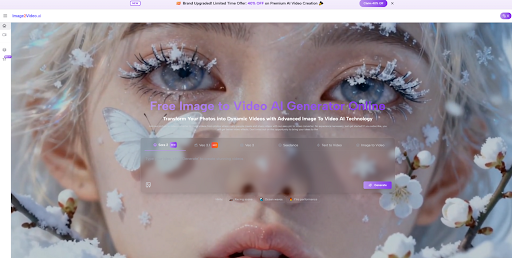
There is a growing disconnect between how visuals are created and how they are consumed. Designers still produce static images, but audiences increasingly expect motion. Bridging that gap has traditionally required video editing skills, which slows down production. This is where Image to Video AI starts to change the equation.
The challenge is not creating visuals. It is adapting them to motion-first environments without rebuilding everything from scratch.
Why Static Images No Longer Represent Final Output
A finished image used to be the endpoint.
Now it is often just the beginning.
From Final Asset To Intermediate Step
Images are increasingly treated as:
- Source material
- Visual anchors
- Starting points for transformation
This redefines their role in the creative process.
Why Motion Adds Structural Depth
Motion introduces:
- Sequence
- Timing
- Emotional pacing
These elements allow content to evolve rather than remain fixed.
Understanding Image-Based Motion As A System
To understand the platform, it helps to break it down into components.
Input Layer Defines The Scene
The uploaded image provides:
- Spatial arrangement
- Visual identity
- Lighting context
Instruction Layer Defines Behavior
The prompt determines:
- How elements should move
- How the camera should behave
- What tone the scene should convey
Generation Layer Produces Continuity
The model generates:
- Frame transitions
- Motion consistency
- Depth perception
The system focuses on plausibility rather than exact replication.
What The Workflow Reveals About Its Purpose
The simplicity of the process reflects its intended use.
Step 1 Upload A Base Image
Provide a static image in a supported format.
Step 2 Define Motion Through Text
Describe the desired movement and atmosphere.
Step 3 Generate Video Output
The system processes the input and produces a video result.
This structure removes the need for traditional editing tools.
Why Motion Interpretation Replaces Manual Control
Instead of directly controlling motion, users guide it.
Interpretation Over Execution
The system interprets prompts rather than executing precise commands.
This leads to:
- Flexible outputs
- Variability between runs
- Emergent behavior
Why This Can Be An Advantage
While less precise, this approach allows:
- Faster experimentation
- Unexpected creative outcomes
- Reduced technical overhead
How Template-Based Motion Changes User Decisions
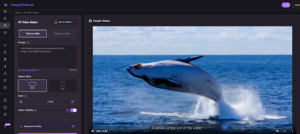
The platform includes predefined motion categories.
These act as:
- Starting points
- Constraints
- Simplified choices
Instead of designing motion from scratch, users select and refine.
Comparing Creation Models Across Different Systems
| Approach | Starting Point | Control Style | Iteration Method | Complexity |
| Image-to-video | Single image | Prompt-based | Regeneration | Low |
| Video editing | Footage | Manual control | Editing | High |
| Animation tools | Assets | Technical control | Rigging | Very high |
This highlights the system’s position as a middle ground.
Where This Workflow Provides Practical Value
Content Repurposing
- Converting static assets into motion content
- Extending the usability of existing materials
Rapid Prototyping
- Testing visual ideas quickly
- Exploring different motion styles
Social Media Adaptation
- Producing motion content for engagement-driven platforms
Why Prompt Design Becomes A Core Skill
Even though the system automates motion, results depend on input.
Specificity Improves Outcomes
Detailed prompts tend to produce:
- More coherent motion
- Better alignment with intent
- Fewer unexpected artifacts
Ambiguity Leads To Variability
Vague prompts often result in:
- Inconsistent motion
- Less predictable outputs
Iteration Remains Essential
Multiple generations are often needed to achieve desired results.
Where Consistency Tools Become Relevant
As creators move from exploration to production, tools like Photo to Video help standardize outputs across multiple visuals, making it easier to maintain a consistent style.
Limitations That Shape Current Usage
Limited Precision
Users cannot fully control:
- Exact motion paths
- Detailed timing
- Complex interactions
Output Variability
Results may differ between generations.
Challenges With Complex Scenes
Scenes involving multiple subjects or rapid motion can be less stable.
Why These Constraints Do Not Reduce Its Importance
The system is not designed for precision-heavy production.
It is designed for:
- Accessibility
- Speed
- Exploration
These qualities make it valuable in contexts where rapid iteration matters more than exact control.
How Creative Workflows Continue To Evolve
The shift is not just technical. It is conceptual.
Creators are moving toward:
- Motion-first thinking
- Prompt-driven workflows
- Iterative exploration
This changes how visual ideas are developed and refined.
And in a landscape where attention is tied to motion, that shift is likely to continue.