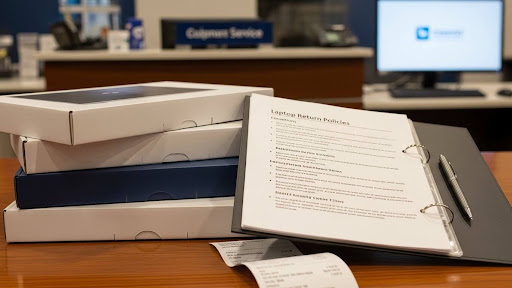
Did you know that 41% of data breaches come from lost or stolen devices? This alarming statistic highlights why employer laptop policies are crucial when you’re working remotely as a student . When you receive a company-issued laptop for your remote internship or job, understanding the return process is just as important as knowing how to use the device properly.
A company laptop return policy is essentially a set of guidelines explaining how you must return organizational property when your role ends . Without a structured approach to this process, companies risk data breaches, compliance violations, and wasted IT resources tracking down equipment . This is why many organizations begin their offboarding process the moment you submit your resignation or receive notice that your internship is ending . For you as a student, knowing these expectations early helps prevent confusion, delays, or unnecessary penalties once your remote position ends. Companies that offer convenient return options, such as courier pickup or local drop-off points, typically see fewer delays and higher return rates .
Throughout this article, you’ll learn what happens if you don’t return a company laptop, how organizations manage the return process, and the steps you should take before sending back the equipment. This practical guidance will help you navigate your responsibilities professionally and protect both your data and your future opportunities.
Why Laptop Return Policies Are Important for Remote Students
Remote work and internships have created a new reality for students: learning to navigate employer laptop policies while working from home. Nearly 100% of students own personal laptops, yet many companies still provide equipment for remote work, creating a critical distinction between personal and company property.
Ownership vs. Usage: What Students Should Know
Your personal laptop belongs to you, whereas a company-provided device remains organizational property throughout your internship or employment. This distinction matters because companies implement specific policies to protect their assets and data. Generally, these devices are loaned solely for work purposes during your employment period. Additionally, any devices given to you during internships must be returned once your position ends. Understanding this fundamental difference helps prevent confusion about your responsibilities.
Common Misunderstandings During Remote Internships
Students frequently misinterpret what they can do with company devices. First, many assume personal use is unrestricted, although most employers prohibit this. Second, some believe they can keep devices after their internship concludes. Furthermore, students often underestimate how closely companies monitor device usage patterns. Another misconception involves thinking personal files stored on company laptops remain private—in reality, employers typically have access to all content stored on their equipment.
Why Companies Track Equipment Returns
Organizations closely monitor equipment returns for three primary reasons. First, asset recovery helps prevent financial losses caused by unreturned or missing devices. Companies invest heavily in technology, so failing to recover laptops can directly affect their bottom line. Second, data security is critical, as unrecovered devices may still contain sensitive company information. For this reason, many employers establish a clear laptop return process for companies to ensure devices are recovered safely and responsibly. Finally, legal compliance also plays a role, as organizations must protect themselves from disputes related to device ownership after a role ends.
Distance, logistics, and varying time zones can further complicate returns for remote students and interns, making clear policies even more important. Tracking systems are often implemented because companies have experienced losses in the past, and a structured return process ultimately protects both the employer and the student.
What Happens If You Don’t Return a Company Laptop
Failing to return a company laptop doesn’t just mean keeping a free device—it triggers a chain of serious consequences. Most companies have specific protocols that activate immediately after an employee or intern departs with equipment.
Legal Implications of Unreturned Equipment
Keeping a company laptop constitutes theft of property in most jurisdictions. Organizations typically outline in their employer laptop policies that unreturned equipment will result in legal action. Indeed, many companies first send formal demand letters with specific deadlines before escalating to small claims court. Depending on the device value, you might face:
- Civil lawsuits for the replacement cost plus legal fees
- Possible criminal charges for theft in extreme cases
- Financial penalties through paycheck deductions or withheld final payments
The employment agreement you signed likely includes clauses specifically addressing equipment return obligations. These contracts are legally binding, regardless of whether you thoroughly read them.
Data Security Risks for Both Parties
Unreturned laptops create significant security vulnerabilities. For companies, these devices often contain:
- Proprietary information and intellectual property
- Client details and sensitive communications
- Access credentials to internal systems
For you as the student, keeping company equipment presents personal risks too. The organization might remotely deploy security measures that lock or wipe the device, potentially affecting any personal data stored alongside work files. Notably, many companies can track device location and monitor usage patterns even after employment ends.
Impact on Future Opportunities or References
Perhaps the most overlooked consequence involves your professional reputation. Failing to return company property can:
Immediately disqualify you from receiving positive references, regardless of your work quality. References often check an IT offboarding checklist before providing recommendations, with equipment return as a key component.
Damage relationships with mentors who might otherwise support your career development. In contrast, following proper employee exit procedures demonstrates professionalism that leaves doors open for future opportunities.
Create documentation in your employment record that might surface during background checks for future positions.
Remember that most internship programs share information about participants, especially within the same industry or educational networks.
How Companies Manage the Laptop Return Process
Many organizations employ structured systems for retrieving company equipment once your internship or remote position ends. Understanding these processes helps you prepare for a smooth transition.
Standard Steps in the IT Offboarding Checklist
Most companies follow a specific IT offboarding protocol that begins immediately upon notification of your departure. Initially, they compile a comprehensive inventory of all assigned equipment. Subsequently, IT departments communicate return expectations and deadlines. The offboarding coordinator then provides detailed instructions for packing and shipping the laptop. Throughout this process, companies maintain documentation of all equipment transactions, often referring to the original onboarding records to ensure nothing is overlooked.
Use of Laptop Retrieval Services by Employers
Increasingly, companies utilize specialized laptop return services to simplify the process. These services typically:
- Send secure, padded shipping boxes with prepaid labels directly to your location
- Provide packing materials and clear step-by-step instructions
- Manage communications with automated reminders if delays occur
- Handle all logistics, allowing you to simply pack and ship
This approach eliminates friction in the return process, particularly for organizations with geographically dispersed students.
Tracking and Verification of Returned Devices
Companies implement inventory tracking systems that monitor devices throughout the entire return journey. According to studies, approximately 30% of systems are returned on time, with high-turnover industries experiencing return rates as low as 50%. Upon receipt, IT teams inspect returned laptops for functionality and physical condition, then perform secure data wiping procedures following certified protocols.
What Students Should Do Before Returning a Laptop
Preparing for the return of your company laptop requires careful attention to detail to protect both your personal information and professional reputation. Prior to shipping the device back, take these essential steps to ensure a smooth transition.
Backing Up Personal Files and Removing Data
First and foremost, back up any personal files stored on the company laptop. Use cloud storage like Google Drive or an external hard drive to save important documents and photos. Upon completing your backup, verify that all files transferred correctly. Next, thoroughly remove personal data from the device – simply deleting files isn’t sufficient. Sign out of all accounts including email, cloud platforms, and password managers. For enhanced security, remove saved passwords from browsers and clear browsing histories and cookies from all web browsers. If permitted by your employer, perform a secure wipe using appropriate software based on your operating system.
Cleaning and Packing the Device Properly
Beyond data considerations, the physical condition of the laptop matters significantly. Clean and sanitize the equipment thoroughly. Remove any personal stickers or asset tags unless they’re part of the warranty process. When packing, use appropriate materials to prevent damage during transit. If provided, use the company’s return box with included cushioning materials. Otherwise, secure the laptop in a padded box with proper protection for screens and corners.
Following the Company’s Return Instructions
Carefully review your employment contract to understand return obligations. Adhere precisely to the company’s specified return process, which typically includes using prepaid shipping labels and designated courier services. Keep records of all return communications and request confirmation once the company receives the equipment. Unless specifically instructed otherwise, include all accessories originally provided, such as chargers and cables. This documentation protects you from potential disputes regarding the return.
Conclusion
As a remote internship or job comes to an end, handling the laptop return process is just as important as the work you performed. Company laptop policies exist to protect organizational assets while also safeguarding your professional reputation.
Remote work may change how equipment is used, but the responsibility remains the same—company devices must be returned promptly and according to instructions. Backing up personal files, cleaning the device, and following return guidelines helps ensure a smooth transition.
Failing to return equipment can lead to legal issues, damaged references, and lost future opportunities. By treating the return process professionally, you leave a positive final impression and demonstrate reliability—qualities that matter well beyond a single role.
Key Takeaways
- Understanding laptop return policies helps remote students avoid legal issues and protect their professional reputation.
- Company laptops always remain employer property and must be returned after internships or remote roles end.
- Failure to return equipment can negatively impact references and future job opportunities.
- Back up personal data and follow return instructions carefully to protect both your privacy and company security.
- Many employers use prepaid shipping and retrieval services, making the return process easier for remote workers.