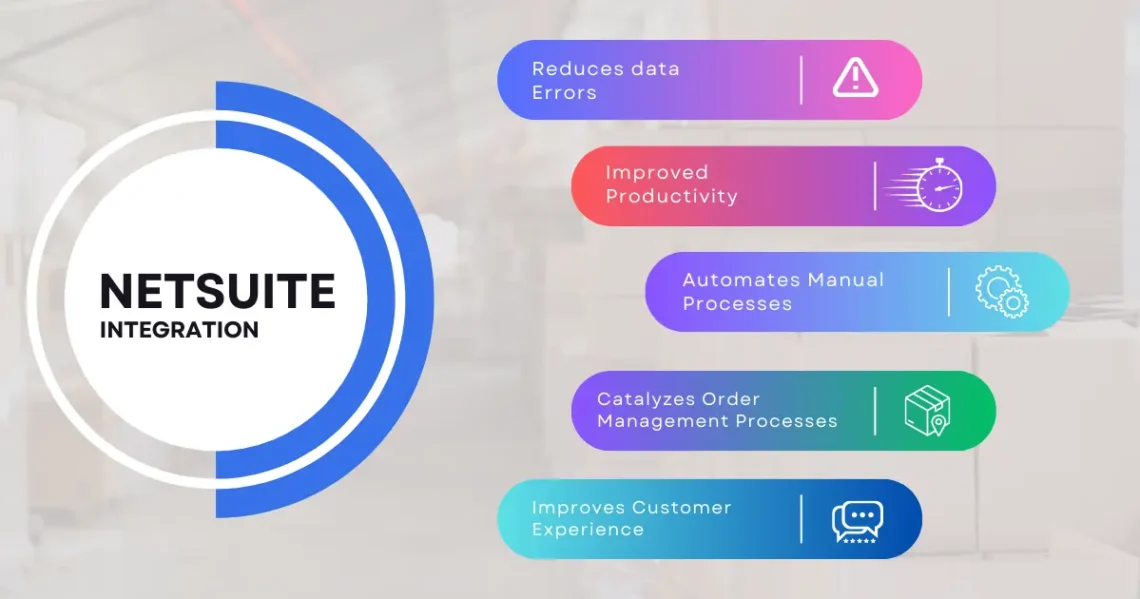
NetSuite is one of the most widely adopted cloud-based ERP solutions, offering organizations a centralized platform to manage financials, CRM, inventory, and more. While its capabilities are robust, the system’s efficiency and reliability hinge on proper administration. Effective NetSuite system administration ensures smooth operations, secure access, optimal performance, and streamlined workflows across the organization. This article explores the fundamentals of NetSuite system administration and offers best practices for managing your ERP like a pro.
1. The Role of a NetSuite System Administrator
A NetSuite system administrator is the backbone of ERP management. They oversee the day-to-day operation of the system, configure settings, manage users, monitor performance, and ensure data integrity. The responsibilities of a system administrator typically include:
- User and Role Management: Creating, modifying, and deactivating user accounts, assigning roles, and controlling access to sensitive data.
- Configuration Management: Setting up workflows, forms, fields, and dashboards to align with business processes.
- System Monitoring: Tracking system performance, auditing logs, and troubleshooting issues to prevent downtime.
- Security Management: Implementing best practices for user authentication, permissions, and data protection.
- Maintenance & Updates: Ensuring the system is up-to-date with the latest NetSuite releases and patches.
A skilled administrator not only keeps the system running but also enhances efficiency, ensures compliance, and supports the organization’s strategic goals
2. Understanding NetSuite Roles and Permissions
One of the most critical aspects of system administration is user and role management. NetSuite’s role-based access control allows administrators to grant appropriate access based on job responsibilities.
Key considerations include:
- Role Definition: Assign roles based on function, such as accountant, sales manager, or inventory controller.
- Permission Levels: Define permissions at the level of view, create, edit, or full access to specific records and features.
- Segregation of Duties: Ensure no single user has conflicting access that could compromise financial controls or compliance.
- Regular Reviews: Conduct periodic audits of user access to identify inactive accounts or overly broad permissions.
Properly managing roles not only secures sensitive data but also prevents operational errors caused by unauthorized access.
3. Configuring Your NetSuite Environment
NetSuite offers extensive configuration options to tailor the ERP system to your organization’s needs. A competent system administrator ensures that the setup aligns with business processes and maximizes efficiency.
Some essential configuration tasks include:
- Forms and Fields: Customize forms to capture necessary data and remove redundant fields for cleaner workflows.
- Workflows (SuiteFlow): Automate repetitive tasks like approvals, notifications, and status updates.
- Dashboards: Configure dashboards to provide users with relevant KPIs, reports, and real-time insights.
- Saved Searches: Create saved searches to retrieve and report critical data efficiently.
Proper configuration simplifies user interactions, reduces manual work, and ensures consistency in business operations.
4. Maintaining Data Integrity
Data integrity is foundational to ERP success. Administrators are responsible for ensuring accurate, consistent, and complete data across the system.
Best practices include:
- Validation Rules: Implement validation rules to prevent entry of incorrect or incomplete data.
- Duplicate Detection: Regularly check for and merge duplicate records, especially for customers, vendors, and items.
- Data Cleaning: Schedule routine data audits to identify errors, inconsistencies, and obsolete information.
- Backup and Recovery: Although NetSuite is cloud-based, administrators should maintain backup protocols and understand disaster recovery procedures.
Maintaining clean data ensures accurate reporting, informed decision-making, and compliance with regulatory requirements.
5. Monitoring System Performance
System administrators must monitor NetSuite’s performance to detect and address potential bottlenecks. Slow page loads, delayed scripts, or lagging reports can impact productivity.
Tips for effective performance monitoring include:
- Track KPIs: Monitor key metrics like script execution times, saved search performance, and page load speeds.
- Identify Problematic Customizations: Review SuiteScripts and workflows that could be slowing down the system.
- Optimize Reports and Searches: Simplify complex saved searches and reports to improve execution times.
- Plan Maintenance Windows: Schedule heavy data processing tasks during off-peak hours to minimize impact.
By proactively monitoring system performance, administrators can maintain a responsive and reliable ERP environment.
6. Managing Integrations
NetSuite often integrates with other business systems, including CRMs, eCommerce platforms, and logistics tools. Managing these integrations is a vital administrative function.
Best practices include:
- Regularly Monitor Logs: Check integration logs for failed transactions or errors.
- Test After Updates: Ensure updates in NetSuite or connected systems do not break integrations.
- Secure Connections: Use token-based authentication or OAuth to secure API access.
- Document Integrations: Maintain comprehensive documentation of endpoints, data flow, and dependencies for troubleshooting.
Well-maintained integrations ensure seamless data exchange and prevent operational disruptions.
7. Implementing Security Measures
Security is paramount in any ERP system. NetSuite administrators are responsible for protecting sensitive data from unauthorized access and potential breaches.
Key security practices include:
- Two-Factor Authentication (2FA): Require 2FA for all users to strengthen account security.
- Role-Based Access Controls: Limit access to sensitive records based on job responsibilities.
- Audit Logs: Monitor login activity, failed attempts, and unusual behavior to detect threats.
- User Training: Educate employees on password best practices, phishing awareness, and secure system use.
A strong security framework ensures business data remains protected and regulatory compliance is maintained.
8. Handling NetSuite Updates and Releases
NetSuite provides periodic updates that introduce new features, improvements, and security patches. Administrators must manage these updates carefully to avoid disruption.
Best practices include:
- Review Release Notes: Understand changes, new features, and potential impacts on customizations.
- Test in Sandbox: Validate workflows, scripts, and integrations in a sandbox before production deployment.
- Plan Updates Strategically: Schedule updates during low-activity periods to minimize impact.
- Communicate Changes: Inform users of new features, deprecated functions, and any workflow adjustments.
Staying current with NetSuite releases ensures your organization benefits from enhancements while avoiding compatibility issues.
9. Establishing a Maintenance Routine
A structured maintenance schedule helps administrators stay on top of system health and performance.
Suggested routines include:
- Daily: Monitor system alerts, review failed transactions, and check critical workflows.
- Weekly: Review dashboards, scheduled reports, and performance metrics.
- Monthly: Audit roles, permissions, and data integrity; optimize workflows.
- Quarterly: Conduct comprehensive system reviews, including customizations, integrations, and new feature testing.
A consistent routine prevents minor issues from escalating and ensures long-term ERP stability.
10. Leveraging NetSuite Resources
Administrators should utilize NetSuite’s official resources and community to enhance their system management skills:
- SuiteAnswers: Access detailed documentation, guides, and troubleshooting articles.
- NetSuite User Groups: Connect with other administrators to share insights and best practices.
- Professional Support: Engage NetSuite-certified partners or consultants for advanced issues or system optimization.
These resources help administrators stay informed and continuously improve ERP management capabilities.
Conclusion
NetSuite system administration is a multifaceted role that goes beyond managing users and roles. It encompasses data integrity, system performance, integrations, security, and proactive maintenance. A skilled administrator ensures that the ERP system runs efficiently, securely, and aligns with organizational goals. By following best practices—such as configuring the environment effectively, monitoring performance, maintaining data quality, and leveraging NetSuite resources—administrators can manage their ERP like true professionals.
Proper administration transforms NetSuite from a software tool into a strategic asset, enabling businesses to streamline operations, make data-driven decisions, and scale with confidence.