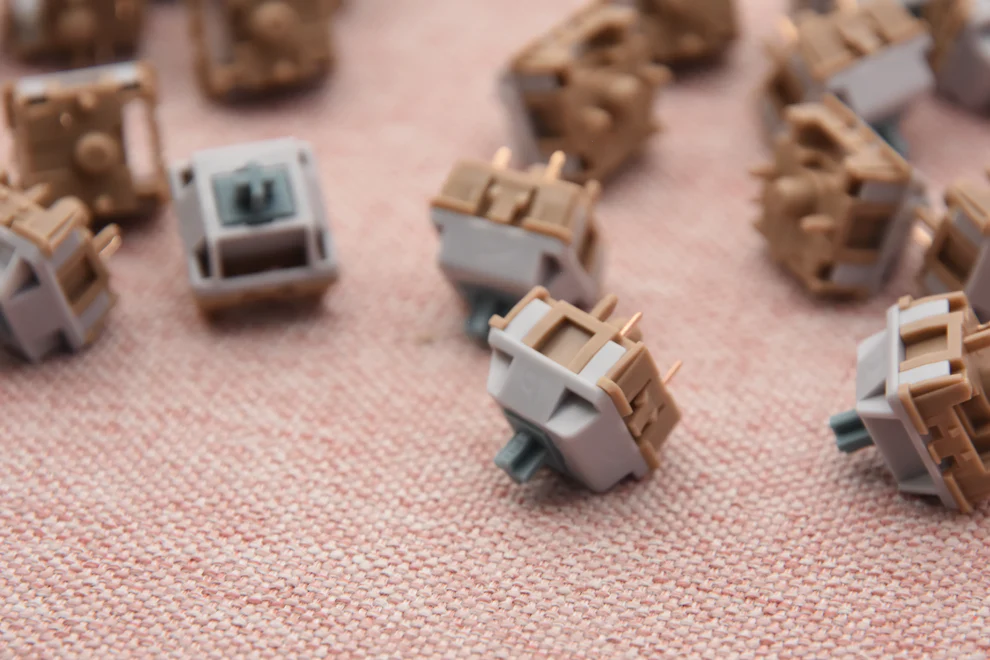
Mechanical keyboards have evolved far beyond a niche hobby for gamers. Today, they are widely used by programmers, designers, remote workers, and everyday computer users. Among the various switch types available, linear keyboard switches stand out for their smooth feel, fast response, and versatility.
Whether you’re gaming competitively or typing for hours each day, understanding how linear switches work—and whether they suit your workflow—can significantly improve your overall typing experience. This guide breaks down everything you need to know, supported by real-world usage scenarios and authoritative insights.
What Are Linear Keyboard Switches?
Linear keyboard switches are mechanical switches that move straight up and down without any tactile bump or audible click during actuation. This smooth, uninterrupted keystroke is what defines them and separates them from tactile and clicky alternatives.
When a key is pressed, the stem travels downward evenly until it reaches the actuation point, where the keystroke registers. Because there is no resistance change, users experience consistent feedback across every press.
Popular examples include Cherry MX Red, Gateron Red, and other modern linear variants. These switches are commonly found in gaming keyboards and custom mechanical builds due to their reliability and smooth feel.
Their quiet operation also makes them suitable for shared spaces or late-night use. Many modern linear switches are factory-lubed, reducing friction and improving long-term smoothness.
How Do Linear Keyboard Switches Work?
Linear keyboard switches consist of a few core components: a stem, spring, upper housing, lower housing, and metal contact leaves. When pressed, the stem compresses the spring until the contacts meet, registering the keystroke.
Unlike tactile or clicky switches, linear switches have no bump or click mechanism. This results in a uniform force curve from top to bottom, allowing for faster and more predictable key presses.
Most linear switches actuate between 45g and 60g of force, though lighter and heavier options exist. Lighter switches reduce finger fatigue, while heavier ones help prevent accidental presses.
Industry testing from manufacturers like Cherry and Gateron shows that linear switches often provide consistent actuation and long lifespans, commonly rated between 50 to 100 million keystrokes.
Why Are Linear Keyboard Switches Popular for Gaming and Typing?
Linear keyboard switches are especially popular among gamers due to their speed and responsiveness. In fast-paced games such as FPS or MOBA titles, the ability to register rapid key presses without tactile resistance provides a competitive advantage.
Professional and semi-professional gamers often prefer linear switches because they allow smoother movement and quicker double-taps. This is one reason many esports keyboards come equipped with linear switches by default.
For typing, linear switches offer a comfortable experience when paired with proper technique. The lack of tactile feedback reduces finger strain during long typing sessions, making them suitable for programmers, writers, and office workers.
Noise reduction is another major benefit. Without a click mechanism, linear switches are significantly quieter, especially when combined with desk mats or dampened keycaps.
Additionally, linear switches are highly customizable. Enthusiasts often lubricate them or adjust spring weights to fine-tune the typing feel, making them one of the most flexible switch types available.
Linear vs Tactile vs Clicky Switches: What’s the Real Difference?
| Feature | Linear Switches | Tactile Switches | Clicky Switches |
| Feel | Smooth and consistent | Noticeable tactile bump | Bump with loud click |
| Noise Level | Low | Medium | High |
| Best For | Gaming, fast typing | Balanced typing | Typing feedback lovers |
| Office Friendly | Yes | Sometimes | Rarely |
According to educational resources from brands like Keychron and Kinetic Labs, switch preference is highly subjective. However, linear switches remain the top choice for users who prioritize smoothness and speed.
How to Choose the Best Linear Keyboard Switches for Your Needs?
Choosing the right linear switch depends on your usage habits and environment.
- Usage Scenario:
Gamers may prefer lighter switches (45g–50g) for faster response times, while office users often choose slightly heavier options for better control. - Noise Sensitivity:
If you work in a shared space, silent or well-lubricated linear switches help reduce noise significantly. - Customization:
Linear switches are ideal for custom keyboards, as they respond well to lubrication, spring swaps, and films. - Brand Reliability:
Choose switches with proven durability and consistent quality from established manufacturers.
You can explore a curated collection of high-quality linear keyboard switches designed for both gaming and professional use.
Conclusion
Linear keyboard switches offer a smooth, fast, and adaptable typing experience suitable for a wide range of users. Their consistency, low noise, and customization potential make them one of the most popular switch types today.
By understanding how linear switches work and matching them to your usage needs, you can significantly enhance comfort, performance, and productivity.
FAQs
Are linear keyboard switches good for typing?
Yes. Many users find linear switches comfortable for long typing sessions due to their smooth keystrokes and reduced finger fatigue.
Do linear switches wear out faster than tactile or clicky switches?
No. Most modern linear switches are rated for tens of millions of keystrokes, comparable to tactile and clicky switches.
Which linear keyboard switches are best for gaming and fast typing?
Popular choices include Cherry MX Red, Gateron Yellow, and other smooth, low-actuation linear switches designed for speed and consistency.