This is where modern automation tools come into play. By combining smart voice generation solutions with royalty-free visual resources, creators can build professional-quality videos while keeping full control over their workflow.
Why Audio and Visual Quality Matters on YouTube
YouTube is a viewer-driven platform. If your content fails to capture attention in the first few seconds, users scroll away. Two elements heavily influence this decision:
- The clarity and tone of the voice
- The quality and relevance of visuals
Poor audio instantly reduces trust, while dull visuals lower watch time. Even the most valuable information can feel boring if it lacks proper presentation.
For this reason, many creators are now shifting towards efficient tools that improve both sound and visuals without adding complexity.
The Role of Text-Based Voice Generation
Recording voiceovers manually sounds simple, but in reality it creates multiple problems:
- Background noise
- Inconsistent sound quality
- Time-consuming re-takes
- Voice fatigue during long scripts
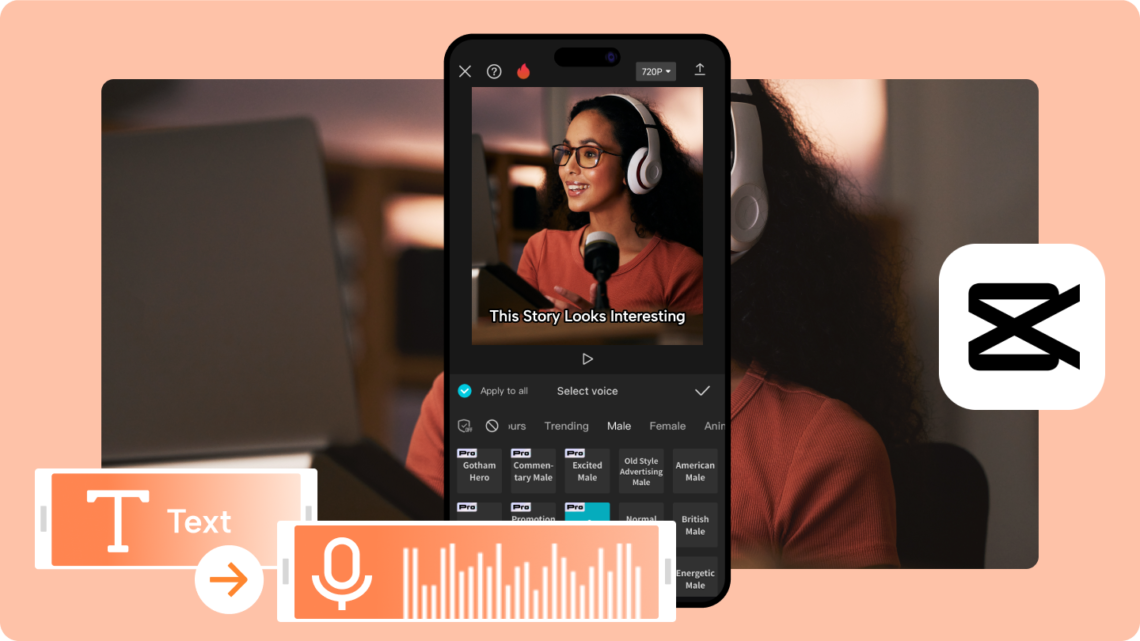
This is why text to speech solutions have become increasingly popular among YouTubers. These tools convert written scripts into spoken audio, allowing creators to focus on content instead of recording setups.
Modern voice generation is no longer robotic or flat. With proper pacing and editing, the narration sounds smooth and clear, making it suitable for educational, documentary, and explainer-style content.
Creators who publish frequently find this especially useful, as they can maintain consistent audio quality across dozens of videos.
Why Visual Support Is Equally Important
Even with excellent narration, visuals play a major role in viewer retention. Static screens or repetitive shots reduce engagement quickly.
That’s where free stock videos become extremely valuable. Instead of filming everything manually, creators can use pre-recorded clips that visually support their message.
These clips often include:
- Nature and landscape shots
- Business and work environments
- Abstract motion visuals
- Lifestyle and technology scenes
Used correctly, stock footage enhances storytelling and keeps viewers visually engaged without distracting from the main message.
How Creators Combine Voice and Stock Footage

Successful YouTubers follow a structured workflow that blends audio and visuals naturally.
Step 1: Start with a Script
Every strong video begins with a clear script. Writing first helps structure the message and ensures the narration flows logically.
Step 2: Convert Script into Voice
After finalizing the script, creators generate narration using text to speech tools. This allows easy editing and quick updates without re-recording entire sections.
Step 3: Select Supporting Visuals
Next, creators choose free stock videos that match each part of the narration. This step focuses on visual relevance rather than flashy effects.
Step 4: Assemble and Polish
The final stage involves syncing audio with visuals, adjusting timing, and refining transitions. This results in a cohesive video that feels intentionally designed.
Who Benefits Most from These Tools
Faceless YouTube Channels
Channels that don’t rely on on-camera presence depend heavily on narration and visuals. Automated voice combined with stock footage is ideal for this format.
Educational and Explainer Content
Long-form educational videos often require extended narration. Recording these manually can be exhausting, while automated narration maintains clarity and consistency.
New and Budget-Conscious Creators
Beginners often lack access to professional equipment. Using smart tools allows them to compete in quality without heavy investment.
Global and Multilingual Audiences
Creators targeting international viewers can adapt scripts into multiple languages more efficiently using text-based narration systems.
Best Practices for Natural-Looking Content
To keep videos from feeling artificial:
- Write scripts in a conversational tone
- Avoid long, complex sentences
- Match visuals closely with narration
- Rotate different stock clips to avoid repetition
When these practices are followed, viewers focus on the message rather than the tools behind it.
Read More: AI Voice Generator and AI Video Generator: Smart Tools for the Next Generation of Content
The Future of Content Creation
As content competition increases, creators who optimize their workflow gain a clear advantage. Tools that simplify narration and visuals are becoming standard rather than optional.
By strategically using text to speech methods alongside carefully chosen free stock videos, YouTube creators can produce consistent, high-quality content without burnout.
The key is balance — using technology to support creativity, not replace it. When done right, these tools empower creators to focus on ideas, storytelling, and audience connection.