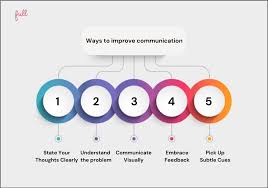
Clear communication is one of the biggest challenges small teams face. When you’re juggling multiple roles, tight deadlines, and fast decisions, ideas often live in people’s heads instead of being clearly shared. Meetings run long, messages get misunderstood, and alignment suffers—not because teams lack talent, but because ideas aren’t communicated in a way that’s easy to grasp.
This is where visuals make a real difference. Visual communication helps teams explain complex thoughts faster, align more quickly, and reduce unnecessary back-and-forth. For small teams in particular, visuals aren’t just helpful—they’re a competitive advantage. They allow everyone to stay on the same page without needing endless meetings or long written explanations.
In this article, we’ll explore how small teams can use visuals to communicate ideas more clearly, why visuals work so well, and how to apply them practically in daily work—without turning your team into full-time designers.
Why Visual Communication Works Better Than Words Alone
Humans are visual thinkers by nature. Studies show that people process visual information up to 60,000 times faster than text, and the brain can interpret an image in as little as 13 milliseconds. That’s a massive advantage when teams need to move fast.
Text-heavy communication relies on interpretation. Each person reads words slightly differently, fills in gaps based on context, and may walk away with a different understanding. Visuals reduce that friction by making ideas concrete. When everyone sees the same diagram, chart, or slide, alignment becomes much easier.
For small teams, this means fewer misunderstandings, quicker feedback loops, and more productive collaboration.
The Challenges Small Teams Face Without Visuals
Small teams often rely heavily on tools like chat messages, emails, or verbal explanations. While these are efficient on the surface, they can easily become overwhelming or unclear when ideas are complex.
Common problems include:
- Long messages that no one fully reads
- Vague explanations that lead to different interpretations
- Repeated meetings to clarify the same idea
- Knowledge staying with individuals instead of the team
Visuals help turn abstract ideas into something shared and visible. Once an idea is visualized, it becomes easier to discuss, refine, and improve as a group.
Turning Ideas Into Clear Visuals (Even Without Design Skills)
You don’t need advanced design expertise to communicate visually. What matters is clarity, not perfection. Simple visuals often work better than overly polished ones.
This is where tools that help teams quickly translate ideas into slides, diagrams, or visual summaries become especially useful. For example, an AI slide maker can help small teams structure ideas, outline key points, and turn rough thoughts into clear visual formats without starting from a blank page. The goal isn’t to impress—it’s to help everyone understand the message faster.
Visuals should support the idea, not distract from it. Even basic layouts with clear hierarchy can dramatically improve communication.
Use Visuals to Structure Thinking, Not Just Present Results
One common mistake teams make is only using visuals at the final stage—during presentations or reports. In reality, visuals are just as valuable during the thinking process.
When brainstorming or planning, visual tools help teams:
- Map ideas and relationships
- Identify gaps or overlaps
- Prioritize tasks or features
- See the “big picture” more clearly
Whiteboards (digital or physical), simple flowcharts, and visual outlines allow teams to think together instead of in isolation. This shared visual thinking often leads to better decisions and fewer misunderstandings later.
Make Information Easier to Digest With Visual Hierarchy
Not all visuals are equally effective. Clear communication depends heavily on visual hierarchy—how information is organized and prioritized on the page or screen.
Strong visual hierarchy helps the viewer understand:
- What to look at first
- What is most important
- How ideas connect
This can be achieved through size, spacing, color, and layout rather than complex design elements. Headings should stand out, key ideas should be visually separated, and supporting details should be clearly secondary.
For small teams, applying basic hierarchy principles makes internal documents, slides, and shared resources far more readable and usable.
Use Charts and Simple Diagrams to Explain Data and Decisions
Data-heavy conversations are especially prone to confusion when handled only through text. Numbers without context are hard to interpret and easy to miscommunicate.
Visualizing data through simple charts helps teams:
- Spot trends quickly
- Compare options objectively
- Support decisions with evidence
For example, instead of explaining progress in a paragraph, a simple chart can instantly show whether a project is on track. The key is choosing the right format—bar charts for comparisons, line charts for change over time, and simple diagrams for processes.
Avoid clutter. One clear visual is far more effective than several complex ones.
Replace Lengthy Explanations With Visual Summaries
Small teams often don’t have the time (or attention span) for long explanations. Visual summaries are a powerful way to condense information without losing meaning.
A visual summary might include:
- A one-slide overview of a project
- A simple diagram explaining a workflow
- A visual checklist of next steps
These summaries act as reference points that teams can revisit without re-explaining everything. Over time, this reduces repetitive conversations and increases autonomy.
Improve Remote and Hybrid Collaboration With Visuals
For distributed teams, visual communication becomes even more important. Without body language and shared physical space, clarity matters more than ever.
Visuals help remote teams by:
- Creating shared context
- Making asynchronous communication clearer
- Reducing misinterpretation in written messages
A short visual explanation can often replace a meeting entirely. This saves time while still ensuring everyone understands the idea or decision.
Encourage Team Members to Think Visually
Visual communication shouldn’t be the responsibility of one person. When everyone on the team feels comfortable sketching ideas, creating simple diagrams, or sharing visual notes, collaboration improves.
Encouraging visual thinking doesn’t require formal training. It starts with making visuals acceptable—even if they’re rough. The more teams treat visuals as thinking tools rather than polished outputs, the more natural visual communication becomes.
Keep Visuals Simple and Purpose-Driven
More visuals don’t automatically mean better communication. The most effective visuals are focused and intentional. Each visual should answer a clear question or support a specific idea.
Before creating a visual, ask:
- What am I trying to explain?
- Who is this for?
- What should the viewer understand in 10 seconds?
If a visual doesn’t serve a clear purpose, it may create more confusion than clarity.
Build a Shared Visual Language Over Time
As small teams use visuals consistently, they naturally develop a shared visual language. Similar layouts, color usage, and structures make new visuals easier to understand because they feel familiar.
This shared language speeds up collaboration and reduces cognitive load. Team members spend less time figuring out how to read something and more time engaging with the content itself.
Conclusion
Clear communication is critical for small teams, and visuals are one of the most effective ways to achieve it. By turning ideas into shared, visual formats, teams can align faster, reduce misunderstandings, and work more confidently together.
Visuals don’t have to be complex or polished to be powerful. When used intentionally, they help small teams think better, collaborate more efficiently, and communicate ideas in ways that truly stick.