The first time you use a free AI image generator, the experience tends to split into two emotions: surprise that anything shows up, and frustration that it’s not quite what you meant. That tension is the real entry point for Banana Pro AI, which positions itself simply as a free AI image generator online that can create images from text and also do image-to-image conversion. If you’re a first-time tester trying to turn rough ideas into visual starting points, the question isn’t “Is this amazing?” It’s: how can you tell whether it’s useful beyond the first experiment?
This piece is an expectation reset, not a victory lap. The goal is to help you evaluate early fit without inventing capabilities that aren’t confirmed.
What Banana Pro AI is (and what we can’t responsibly assume)
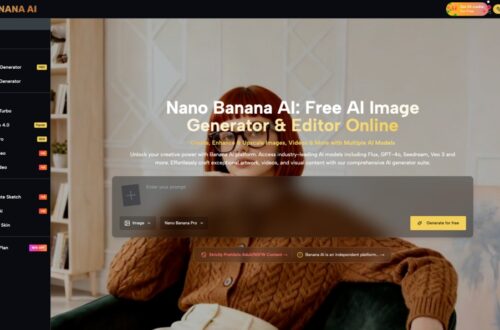
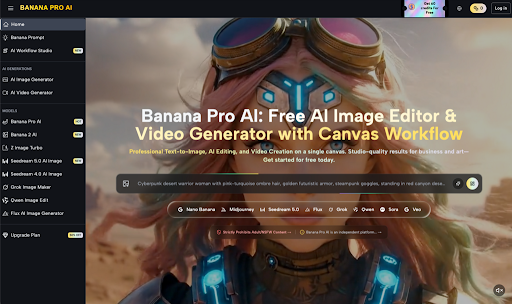
Banana Pro AI is described as “The Best Free AI Image Generator Online,” with support for text-to-image and image-to-image conversion, and a promise to “create stunning images instantly” via a free image generator. That’s the factual boundary.
Here’s what that boundary does not tell us:
- We don’t know what styles it handles well (photo, illustration, 3D, etc.).
- We don’t know what controls exist (if any) for aspect ratio, seeds, negative prompts, strength sliders, or editing tools.
- We don’t know output consistency, watermarking, resolution, speed, usage limits, licensing, or whether it’s safe for commercial work.
- We don’t know how it compares to other tools—despite the “best” claim—because there are no benchmarks provided.
That lack of detail isn’t a flaw by itself; it just means your evaluation needs to focus on observable workflow outcomes, not assumptions. Treat it less like an “AI Image Editor” you’re adopting, and more like a short trial you’re running on your own process
A small but important caution: beginners often confuse the tool’s marketing line (“stunning images instantly”) with a predictable workflow result. The first impression can be misleading when the inputs (your prompt, your reference image, your patience for iteration) are doing more of the work than you realize.
The first two sessions: where expectations usually get corrected
Most people judge an AI image workflow too early—either after one lucky output or one disappointing mess. A better test is two sessions on different days, because what tends to happen is your expectations recalibrate once you see what you can reliably steer.
Session 1: novelty, then the “why didn’t it read my mind?” moment
If you start with text-to-image, you’ll likely try something broad: “a modern logo,” “a cinematic portrait,” “a poster.” Broad prompts are emotionally satisfying but structurally vague.
What people often notice after a few tries is that “more words” doesn’t automatically mean “more control.” The model can only follow what it can parse, and you can only judge what you can describe. Your first session is less about output quality and more about learning the tool’s interpretation style—how literally it takes you, and what it seems to ignore.
Also: the tool can be “free” and still cost you time. The part that usually takes longer than expected is not generating an image—it’s deciding whether an image is close enough to iterate or wrong enough to abandon.
Session 2: fewer prompts, sharper intent
By the second session, people typically stop asking for “cool” and start asking for “usable.” That shift matters.
Instead of “make it futuristic,” you might specify:
- subject + setting + mood
- a small number of visual anchors (materials, lighting, era)
- what you don’t want (even if you can’t provide a formal negative prompt, you can avoid inviting unwanted elements)
If you use image-to-image conversion, the learning curve often shows up differently: you’re no longer just describing an idea; you’re negotiating with a reference. Reference-based workflows can feel more stable because you have something concrete, but they can also feel more frustrating if the output clings to the “wrong” parts of your input image.
One practical warning: beginners often misread image-to-image as “edit my image.” Conversion is not the same thing as precise editing—unless the product explicitly offers editing controls (we don’t have that information here). So evaluate it as variation generation from a starting point, not as a guaranteed editor.
A decision framework: how to tell if it’s worth repeating
If your goal is turning rough ideas into visual starting points, your evaluation criteria should be less about whether the first output is “good” and more about whether you can repeat a result category. This is where the tool either becomes a habit or a novelty.
Here are five grounded checks that don’t require hidden feature assumptions:
- “Can I get three usable directions from one idea?”
One image that looks great can be a fluke. Three directions—different compositions, moods, or styles—tell you whether the tool is a generator rather than a slot machine.
Usable doesn’t mean final. It means you can point at it and say, “This is the direction,” even if you’d still revise.
- “Do my prompts get shorter over time?”
This is an underrated signal. When you understand how a system tends to interpret you, you often stop overprompting and start choosing better anchor words. If your prompts get longer and more desperate, you may be fighting the tool’s defaults.
This is also where names like Nano Banana or Nano Banana Pro tend to show up in people’s search behavior: not because the name itself helps generation, but because early users start looking for “the right way” to prompt a specific tool. The healthier move is to look for your own repeatable input pattern.
- “Does image-to-image help me iterate, or does it trap me?”
Image-to-image conversion can be a shortcut when your rough sketch (or reference) is already compositionally solid. It can also lock you into awkward proportions, clutter, or unintended focal points.
A simple test: run the same base image through two different intent prompts (e.g., “minimalist” vs. “maximalist,” “warm editorial” vs. “cold product shot”). If you can’t meaningfully change direction, you’ve learned something important about the limits of your workflow with this tool—without needing to blame or praise it.
- “Is selection doing more work than generation?”
At some point the decision is less about the tool itself and more about your willingness to curate. AI image workflows often produce many “almost” outputs. If you’re comfortable selecting and refining, that’s fine. If you need a tool to produce a near-final asset, you’ll feel friction.
This is where the “AI Image Editor” expectation can backfire. If what you need is controlled editing, a generator might still be useful—but as an ideation engine, not a finishing suite.
- “Do I know what I’d do with the result?”
A surprisingly clarifying question. If your only plan is “post it because it looks cool,” you’ll be entertained for an afternoon. If your plan is “use this as a thumbnail concept,” “test a hero image direction,” or “rough out a visual metaphor,” you’ll learn faster and judge more fairly.
Where beginners misjudge the workflow (and blame the wrong thing)
Two common misreads show up early.
First: confusing taste with tool quality. AI images can be technically impressive and still aesthetically wrong for your project. If the outputs feel “off,” it might be because your brief is fuzzy, not because the generator can’t do better. The fix is often to tighten your target: pick a single mood, a single era, a single composition idea.
Second: expecting a straight line from prompt to final asset. Most early workflows are loops: prompt → review → adjust → compare → discard → repeat. Where the novelty wears off is when you realize the loop is the work. Some people love that loop; others hate it.
A cautious note: because we only know Banana Pro AI supports text-to-image and image-to-image conversion, it’s not possible to conclude how forgiving it is for beginners, how consistent it is across attempts, or whether it provides guardrails that reduce iteration. So the safest way to judge it is by your own repeatability test, not by a single “wow” output.
A realistic way to use it without building your whole process around it
If you’re experimenting, keep the scope small. The cleanest early use case is: generate starting points, then move on.
That can look like:
- Use text-to-image to explore 2–3 visual metaphors for the same concept.
- Use image-to-image to push one rough direction into variations you can compare.
- Save a small set of prompts that produced “close enough,” even if they weren’t perfect.
I’ve found it helps to treat prompts as notes to your future self, not magic spells. Write them so you can understand them a week later. If you can’t, you weren’t steering—you were guessing.
And if you’re tempted to keep rerolling until something “stunning” appears, set a limit. Ten generations is usually enough to tell whether you’re progressing or just hoping.
The grounded takeaway: judge it by repeatability, not fireworks
Banana Pro AI makes a clear, narrow promise: a free AI image editor online that supports text-to-image and image-to-image conversion. That’s enough to run a serious early evaluation—if you judge it by the second session, not the first.
A tool like this is worth revisiting when you can reliably get multiple usable directions from one idea and when iteration feels like steering, not gambling. If your prompts keep ballooning, your reference images keep trapping you, or you can’t predict what will change between attempts, the honest answer might be: it’s fine as a curiosity, but not yet a dependable part of your visual workflow.
That isn’t a diss. It’s just a clean standard—because the real cost of “free” tools is the time you spend trying to make them behave like something they never promised to be.