Pick a computer rental based on what tasks you’ll handle, how long you need it, and your budget. Frankly, walking into the computer hire world can feel overwhelming when you’re staring at specs, brands, and rental agreements you don’t fully understand.
Brisbane businesses need reliable tech without dropping thousands upfront or getting locked into purchases they’ll regret six months later. That’s why companies like A Vintage Affair Rentals offer flexible rental options from desktop computers to high-performance laptops across Australia.
This guide breaks down how to pick the right equipment for your next project. You’ll also learn which specs are important for your work, which brands deliver solid performance, and how rental costs actually stack up.
Now, let’s look at what separates computer hire from buying outright.
What Makes Computer Hire Different from Buying?
Computer hire lets you access the tech you need without paying thousands upfront or dealing with repairs. You get the equipment when you need it, return it when you’re done, and skip the long-term commitment of ownership.
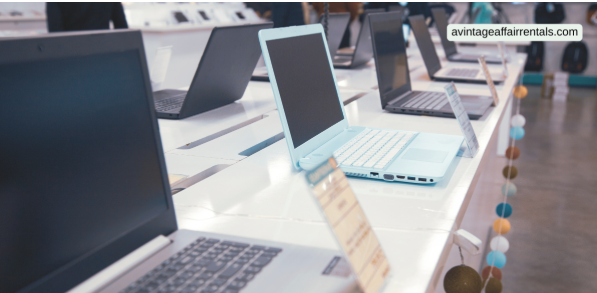
On top of that, rental gives you the flexibility to swap gear, upgrade models, or scale your setup based on what your business demands.
However, the first confusion you’ll face here is deciding between renting a desktop or a laptop. But you can clear that confusion after reading below:
Desktop Computer Rental vs Laptop Hire
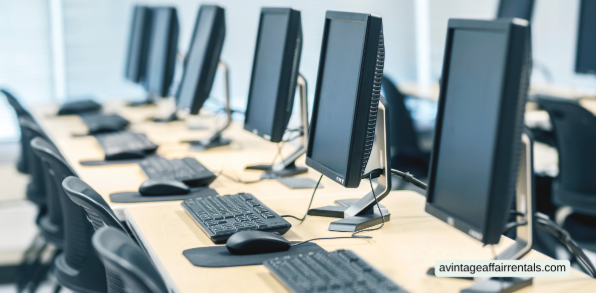
Desktops offer more power and bigger screens, but stay planted in one spot. They’re perfect for office setups where your team needs solid performance for design work, data processing, or running multiple programs at once.
Meanwhile, laptops give you portability for events, remote work, or teams moving between locations. You can set them up anywhere with wifi and pack them away when the project wraps.
When choosing between them, your decision depends on your need for raw performance versus the flexibility to work from different sites.
After selecting the right option, it’s worth considering whether hiring the equipment delivers better value than purchasing outright.
When Tech Rentals Make More Sense
Tech rentals make sense when you work on short-term projects, seasonal peaks, or testing new software before committing to permanent purchases.
Renting saves you in different ways, from maintenance headaches, repair costs, and the hassle of dealing with broken or obsolete equipment.
You can also hire for events, conferences, or temporary office setups where you only need computers for days or weeks. Plus, if your next project requires different specs, you can simply hire different models instead of being stuck with gear collecting dust in storage.
Matching Your Needs: The First Step Before You Rent Computers
Have you ever rented a laptop only to find it can’t handle the programs you actually need to run?
I bet you made this mistake before. Well, not only you, but many of us also made this mistake by not knowing what our true need is.
For example, basic office work requires less power than video editing, graphic design, or running multiple programs at once (that’s a gamble most projects can’t afford). If you hire a high-performance rental here, you are wasting your money.
That’s why you start by listing what software your team will use. Generally, email and spreadsheets run fine on entry-level desktop computers with 8GB RAM and an i3 processor. Video editing, 3D rendering, or heavy data work demands high-performance laptops or desktops with 16GB RAM minimum and i7 processors.
Then, consider how many people will use the device, and if they need admin access or restrictions. Also, think about connectivity requirements like extra USB ports, HDMI outputs for presentations, or specific accessories like external monitors and keyboards.
Suggestion: Brisbane businesses hiring computers for conference setups need different specs than teams running design software daily. For this reason, match the equipment performance to your actual workload, not what sounds impressive on paper.
Once that’s established, you can browse brands with confidence.
Best Brands and Models Worth Your Money
The best part about renting from established brands is that you get proven reliability without gambling on unknown manufacturers.
Generally, sticking with names like HP, Dell, ASUS, and Apple means fewer tech headaches and better support when something goes wrong.
Here’s a quick breakdown of what different brands deliver:
| Brand | Best For | What You Get |
| HP | Business laptops, everyday office use | Solid Windows laptops, good stock availability |
| Dell | Desktop rentals, reliable workstations | Strong performance, easy to service |
| ASUS | Budget-conscious projects | Affordable models, decent speed |
| Apple iMac | Creative work, design teams | Premium performance, high-end displays |
According to our investigation, Dell and HP dominate computer rental in Australia because they’re reliable, easy to fix, and have great support networks. Besides, Lenovo ThinkPads are workhorses for everyday tasks, while MacBooks suit creative professionals and designers who need colour accuracy and processing power.
From there, the focus shifts to what you’ll truly pay for these computers.
Computer Rental Costs: What You’re Really Paying For
In computer rental, you’re paying for the equipment itself plus services like delivery, setup, tech support, and insurance coverage.
To be more specific, rental prices in Brisbane vary based on specs, how long you hire the computers, and what’s included in your rental agreement.
Have a look at these costs break down across different rental options before renting:
- Daily vs Weekly vs Monthly Rates: Shorter hire periods cost more per day but give you flexibility. For instance, a basic laptop might run for $40-50 daily but drops to $150-200 weekly. Desktop computer rental follows similar pricing, with monthly plans offering the most affordable rate overall.
- Premium Equipment Pricing: High-performance laptops with i7 processors and 16GB RAM cost way more than entry-level options. Drawing from our experience, Apple iMac rentals sit at the top end due to the technology and performance they deliver.
- What’s Covered in Standard Packages: Most rental agreements include basic technical support and free installation for desktop setups. Plus, some companies throw in accessories like keyboards, mice, and cables at no extra charge. But Windows licensing is typically covered in the rental cost.
- Delivery and Setup Charges: Brisbane locations often get free delivery for bulk orders or monthly rentals. Meanwhile, single computer hire might include delivery fees ranging from $50-100 depending on your site. Some providers even offer on-site setup assistance for conference and event rentals.
- Flexible Payment Options Available: Many rental companies in Australia accept various payment plans to suit different budget needs. You can often pay weekly, monthly, or upfront depending on your business cash flow. On top of that, corporate clients sometimes get trade accounts with extended payment terms.
- Hidden Extras in Your Agreement: Some rental terms cover damage, while others don’t. So, ask about insurance, early return fees, and whether you can extend your hire period without penalties before signing (nobody likes surprise charges on the invoice).
Verdict: Longer rental periods almost always give you better value if you can plan upfront.
Get the Right Computer Hire Sorted Today
Picking the right computer rental comes down to matching specs with your actual work, choosing brands you can trust, and understanding what you’re paying for. If you need desktop computers for your office or laptops for an upcoming event, knowing these basics can save you from costly mistakes.
Quick checklist before you rent computers:
- Match processor and RAM to your software requirements
- Compare rental agreement terms and pricing across providers
- Ask about delivery, setup, and technical support coverage
- Check stock availability for your preferred models
Ready to explore flexible rental solutions for your team or next project? A Vintage Affair Rentals offers an extensive range of computers and equipment across Brisbane and Australia.
Contact us today and get knowledgeable support to help you find the perfect solution for your business needs.