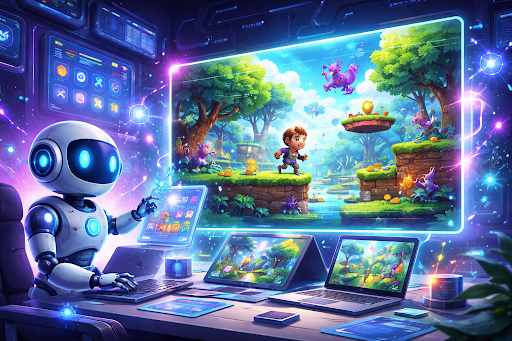
AI game creation tools turn simple text ideas into real, playable games without needing complex programming. They understand your description, design mechanics, build levels, and even add visuals and sound so you can focus on creativity instead of code.
What Are AI Game Creation Tools?
AI game creation tools let creators describe a game in plain language and automatically turn that description into a working prototype. These platforms can generate mechanics, environments, characters, and audio, then let you refine everything with more prompts or simple edits.
For example, if you write, “a hero collecting coins while avoiding enemies in a forest,” the AI can set up player movement, coin collection rules, enemy behavior, and a forest-style level layout. You do not have to worry about programming languages, game engines, or complex technical setups.
Understanding the Game Idea from Text
Everything starts with a simple idea. It might be a hero running through a mysterious forest, a calm puzzle game in a village, or a high-speed race through a neon city. AI game creation tools read the text prompt and try to understand not just the words, but also the emotion and overall mood behind the idea.
On AI game creation platforms like Astrocade, you can explore lots of community-made games and styles, then quickly build your own by starting with a concept that matches what you like. For example, a prompt like “Create a calm puzzle game where the player restores nature in a quiet village” tells the AI that the game should feel peaceful, visually soft, and not too fast or intense.
Converting the Text Prompt into a Game Plan
Once the idea is understood, the AI turns it into a clear game plan. At this stage, the tool decides what the player will do, what the main goal is, and how progress or rewards should work. It connects emotions from the prompt with structure, making sure the gameplay matches the feeling you described.
For example, a prompt such as “Build a fast action game where the player escapes a collapsing city” pushes the AI toward quick movement, timed challenges, and high-pressure situations that keep players on edge and create a sense of urgency.
Choosing the Right AI Game Template
Choosing the right AI game template is key to turning your idea into a playable game quickly. These AI game generation tools offer ready-made templates for different types of games, such as platformers, puzzle games, RPGs, shooters, endless runners, strategy games, or arcade-style experiences, so you can make your own game
By picking a template that matches your concept, you save time on building core mechanics from scratch and let the AI focus on visuals, levels, and challenges that fit your idea. The right template acts like a strong foundation, so you can move faster from prompt to playable game without getting stuck on technical details.
Top AI Game Templates to Start With
- Platformer template for running, jumping, and collecting items in side-scrolling levels.
- Shooter template for action packed gameplay with enemies, projectiles, and dodging.
- Puzzle template for logic-based challenges, matching, or problem solving experiences.
- Racing template for speed-focused gameplay with laps, timers, and checkpoints.
- Arcade template for quick, replayable games that focus on simple controls and high scores.
- Strategy template for thoughtful, turn-based or tactical decision making experiences.
You can also look at real games on Astrocade, such as Scacco Matto, to see how strategy-style rules and challenges work in practice before choosing a template for your own project.
Generating Game Mechanics and Rules
At this stage, the AI creates the rules that make the game playable. These rules define how the player moves, how objects react, how enemies behave, and what happens when the player wins, loses, or unlocks something new. This is usually the most technical part of game development, but AI handles it quietly in the background.
For example, a prompt like “Create a simple fighting game where players unlock new powers after each win” guides the AI to build a progression system that rewards players as they improve. Each victory might unlock new abilities, attacks, or upgrades, which keeps players motivated and encourages them to keep playing.
Creating Game Levels and Environments
Once the mechanics are in place, the game world begins to take shape. Based on the text prompt, the AI designs levels and environments that feel natural, interesting, and connected to the story or theme. It sets up obstacles, paths, rewards, and pacing so the game feels smooth rather than confusing or frustrating.
A prompt such as “Design a jungle adventure game with hidden paths and ancient ruins” encourages the AI to create layered environments with secrets, branching routes, and visual details that invite exploration and curiosity to play with friends online. In an arcade-style or flying game, like those you can find on Astrocade such as Doge’s Flight, the same idea applies, but the environments are tuned for fast reactions and quick decisions.
Designing Characters and Visual Elements
Characters are often the emotional heart of a game. AI game creation tools can generate characters, environments, and animations that match the tone and story described in the prompt. Whether your game needs a brave hero, a cute sidekick, or a mysterious villain, the AI can suggest or create visuals that support that feeling.
For example, a prompt like “Create a friendly robot character in a colorful futuristic world” leads the AI toward bright colors, smooth animations, rounded shapes, and a warm, welcoming style. This visual direction helps players instantly understand the mood of the game and feel more connected to the world you are building.
Adding Sound Effects and Music
Sound brings life and emotion to the visuals. AI tools can generate or recommend background music and sound effects that match the mood described in your prompt, whether that mood is calm, intense, scary, or playful. This audio layer makes the game feel more complete and immersive.
For example, a prompt such as “Add soft background music and gentle sound effects for a relaxing farming game” encourages the AI to use calm melodies, quiet ambient sounds, and subtle feedback when players interact with objects. This kind of audio design makes players feel comfortable, relaxed, and more likely to spend longer in the game.
Testing and Improving Gameplay Automatically
After the first version of the game is built, AI can help test and improve it automatically. The tool can simulate how players might interact with levels, controls, or systems, and then look for issues such as confusing layouts, unbalanced difficulty, or technical glitches. This step improves the experience before real players even try the game.
If the game feels too difficult early on, the AI can reduce the number of obstacles, increase rewards, or slightly adjust enemy behavior to keep players engaged. If things feel too easy, it can increase the challenge step by step so players always feel like they are progressing without feeling stuck.
Preparing the Game for Multiple Platforms
In the final step, AI prepares the game for different devices and platforms. Whether your game is played in a browser, on a mobile phone, or on a desktop computer, the tool can adjust controls, resolutions, and layouts automatically. This lets creators share their games with more people without extra technical work.
For example, a prompt like “Optimize this game for mobile and desktop players” tells the AI to adjust touch controls, keyboard or mouse inputs, and screen sizes so the game feels natural everywhere. On Astrocade, this kind of optimization makes it easy to publish and share your game with friends and communities right from the browser.