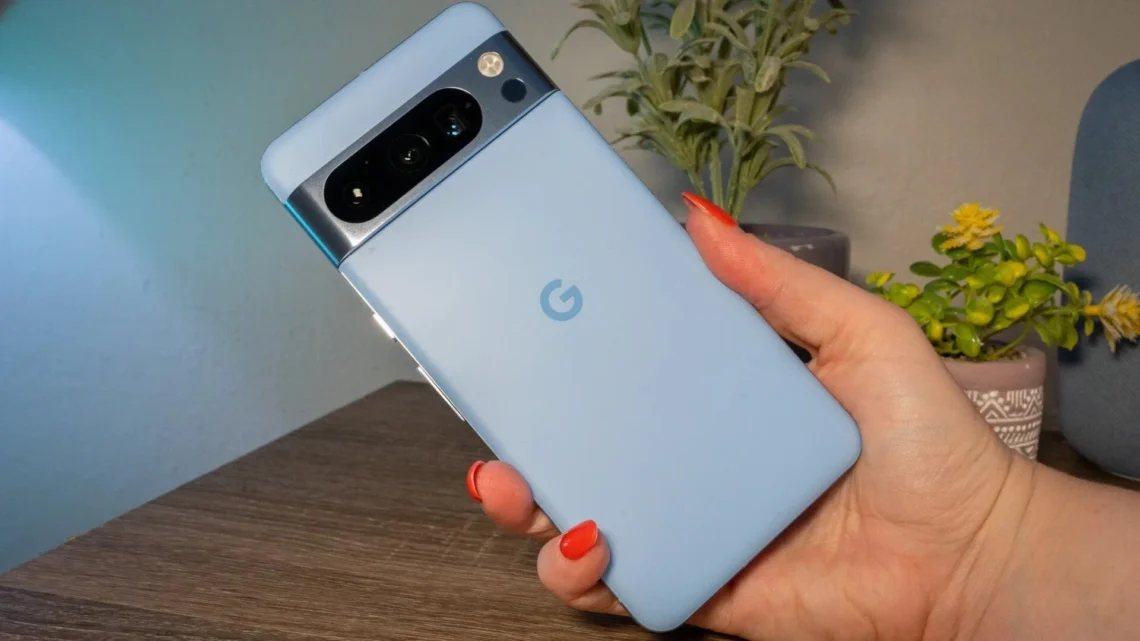
If you were to ask me what the pinnacle of using Artificial Intelligence (AI) features in a phone was, I would easily reply with the Google Pixel series. The latest models of the phone feature futuristic AI capabilities that make it more convenient to use.
For instance, you can use the “Hold for Me” feature, which makes the AI wait on call, instead of you, during customer service calls, and once it is your turn, it reverts to you so that you can continue with your query.
However, to ensure that the AI features work as smoothly as you ideally want them to, you must keep your Pixel connected to a reliable and superfast internet service so that the features work seamlessly. I recommend that you use Spectrum Internet due to its reliability. Even if the internet connection gives you trouble, you can reach out to Spectrum customer service at any time of the week, and they’ll hook you up with a solution as soon as possible.
Coming back to Pixel phones, here are some ways in which AI has taken these phones lightyears ahead in terms of ease of use and convenience.
The Use of AI in Photography
For someone who has always been an avid photographer, I found the AI features in the camera pretty useful. It saved me the time that I would usually spend on post-processing and editing. For instance, as soon as you take a picture on your Pixel phone, the AI processes it to make it look as great as possible.
You can use the Magic Editor on your phone, which utilizes generative AI to allow users to move objects and subjects about in their images, change the background of the images, adjust the lighting to improve it, or even fill in the gaps in images. The whole process makes it easier to carry out complex edits through a few simple steps, eliminating the need for you to put in time and effort to edit images.
You can also turn on the “Best Take” feature on your phone, which combines multiple shots of a group photo into one picture, so that it can create the perfect image with everyone looking at the camera and smiling.
Even if you want to remove objects or people from your images, AI can help you with that as well. All you have to do is use the “Magic Eraser” feature and then tap or circle the object or subject you want to remove, and AI will handle that part for you, making it look as natural as possible. You can also use “Audio Magic Eraser” to remove unwanted background noises from your video.
If you have shaky hands and keep taking blurry images, you can use the “Photo Unblur” feature too. It sharpens your images while making them look natural, which is a pretty useful feature, in my opinion. There are a couple more features that you can use, too, but I’ll leave that part to you to figure out.
The Use of AI in Communication
You’ll be glad to know that the AI features don’t just end at the camera, but you can use them for your communication as well. For instance, Pixel phones come with an integrated Gemini, which is Google’s own AI assistant. It helps summarize webpages for users, draft emails for you, answer questions by gathering information from the internet, and even generate images for you.
Google has also added the “Circle to Search” feature on the latest Pixel phones so that you can circle, highlight, or tap anything on your phone’s screen to search about it on the internet without having to switch apps.
Pixel phones also give you the option to translate content in real-time. Every time it detects another language, it instantly gives you a prompt to translate it into your native language. This makes it easier and faster to understand something that’s in another language. If you’re tired of spam calls, then AI has your back there, too. AI can answer unknown calls and filter out robocalls so that you can save your time and avoid interruptions.
The Use of AI in Productivity
Having a Pixel phone also gives you access to AI features in terms of productivity and system management. This helps you make the most out of your phone so that you can keep it longer.
For instance, the adaptive battery feature helps optimize your phone in such a way that it helps you retain your phone’s battery health. Similarly, the “Magic Cue” feature brings relevant information from relevant apps whenever needed. This includes essential information such as flight and hotel reservations, calendar events, and important emails.
Just like that, the “Recorder App’ in the phone transcribes audio recordings and also summarizes long conversations into bullet points to save you time. This also applies to your notifications, where the phone summarizes all your notifications at a glance so that you don’t miss anything and are kept up to speed with your notifications.
So, these were some of the most prominent ways in which AI has enhanced the performance of Pixel phones, giving you all the more reason to shift to one as soon as you can!